
How to register or transfer
Use Register a New Domain to buy one, or Transfer Domains to Us with the EPP code from your current registrar to move one in.
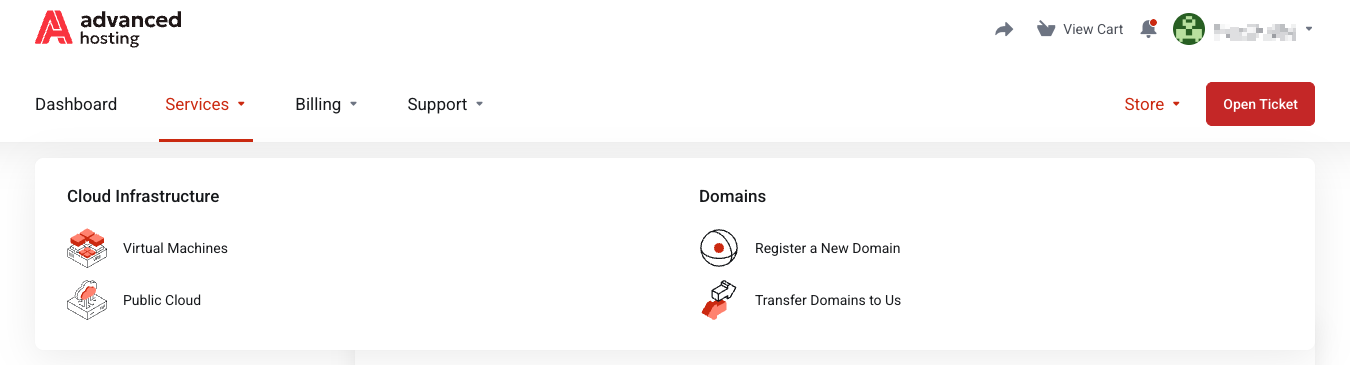
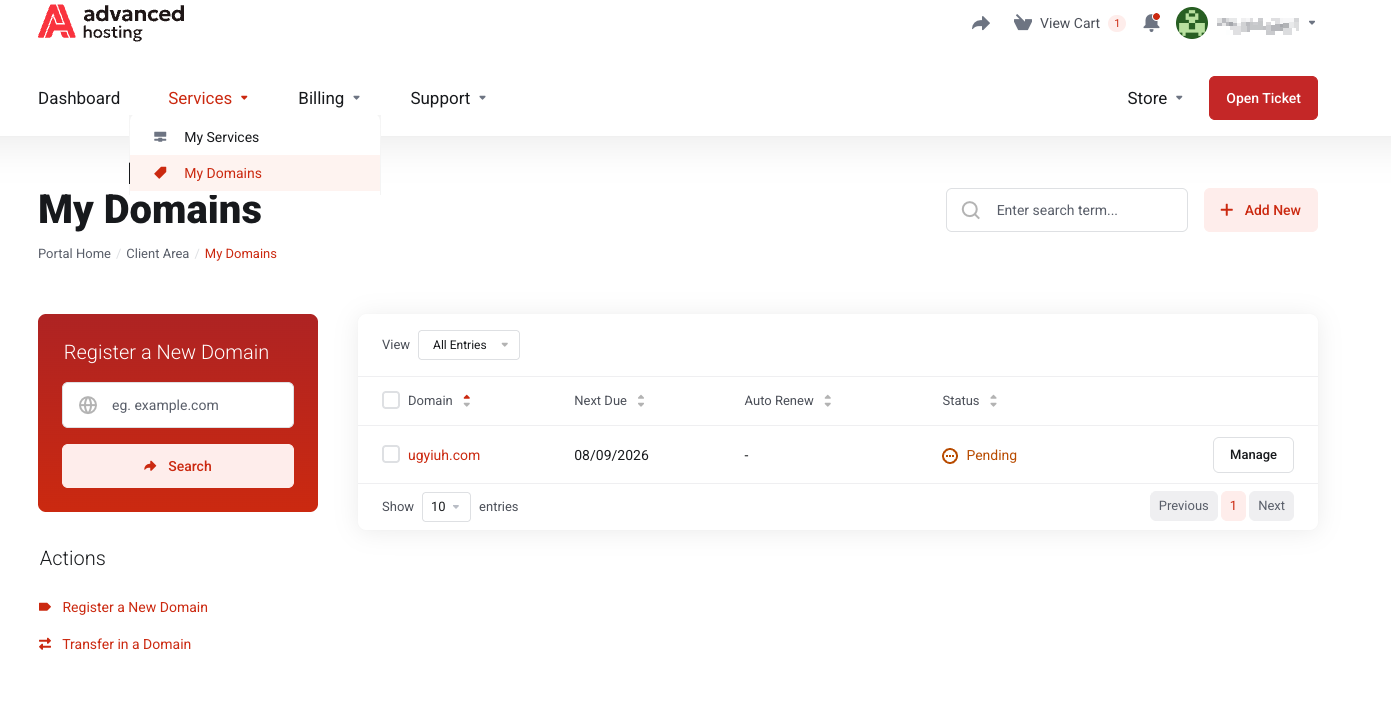
Page Services → My Domains at portal.advancedhosting.com/clientarea.php?action=domains lists what domains you already hold. From here you can manage your domains, and access Domain registration and Domain transfer pages from the left action menu ,as depicted below.
-
Review what you have. Open My Domains for each domain's registration date, next due date and status, as shown above.
-
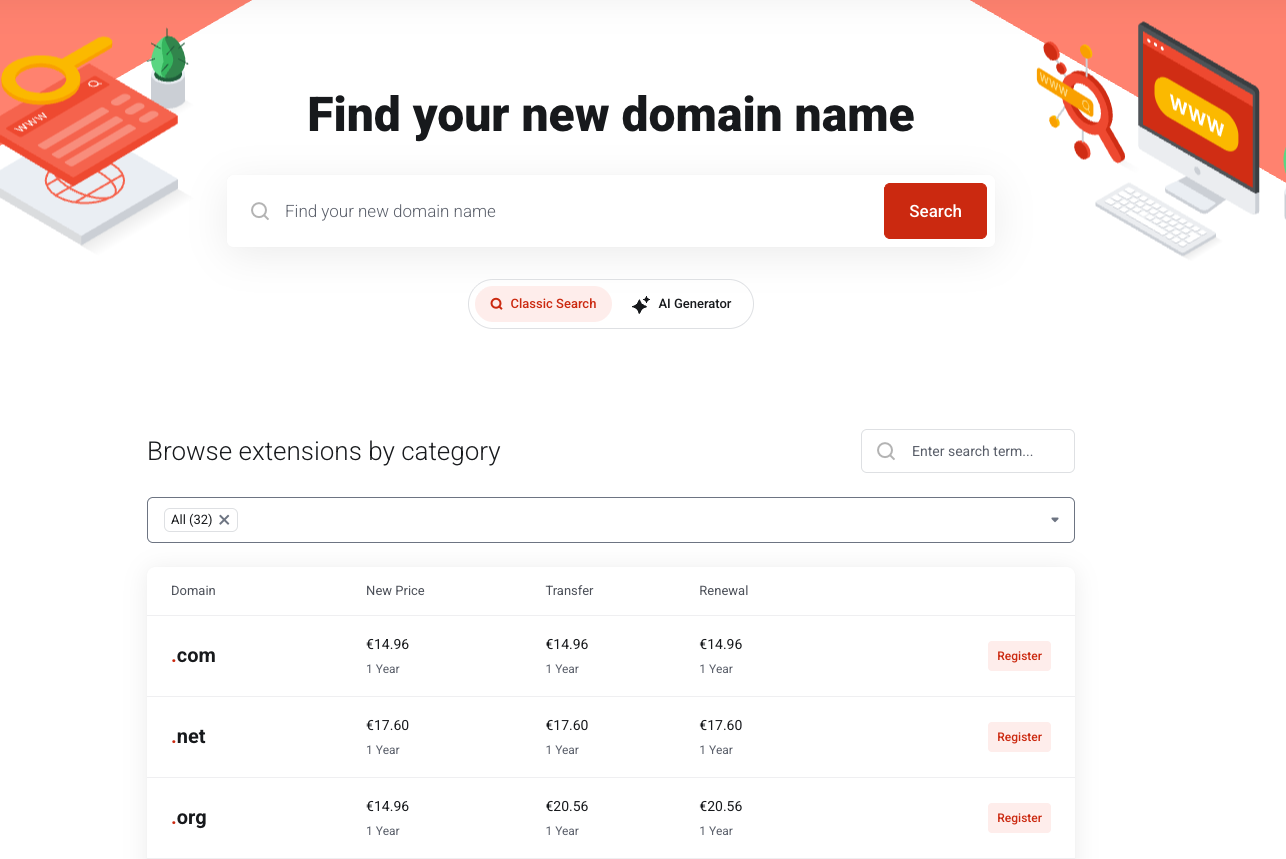
Register a new one. Use Register a New Domain, type the name, pick an extension, and Search. Available names pop up; taken ones are shown with alternatives.
.
-
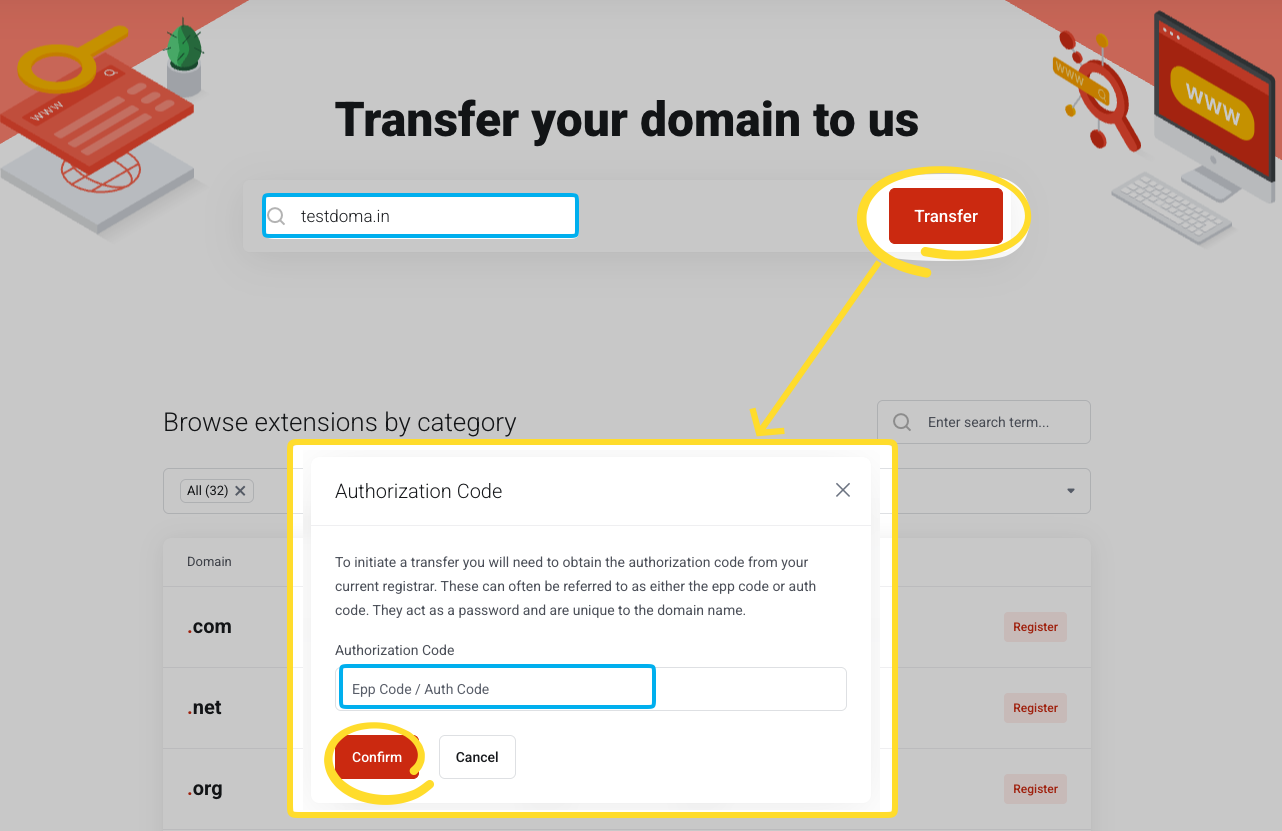
Transfer one in. Use Transfer Domains and enter the domain. You need the authorisation (EPP) code from your current registrar, the domain must be unlocked there.
.
Both routes lead you to the cart and are paid for the same as other services — see Checkout and payment.
What happens next
-
A registration is usually live within minutes.
-
A transfer waits for the legacy registrar to release the domain, which can take up to five days and often needs your approval in response to an email they send. The domain stays up throughout the process.
Owning a domain and using it are separate steps: the zone still needs records — see DNS Manager.
About renewals
Domains renew on their own due date, not with your services. Watch the next due dates on My Domains: a domain that lapses can be expensive or impossible to recover. It's best to set up autorenewals for your domains.
Troubleshooting
-
The domain is not available
It is already registered by someone else. Try another extension.
-
My transfer was rejected
Almost always one of three things: the domain is locked at the current registrar, the EPP code is wrong or expired, or the domain was registered or transferred less than 60 days ago.
-
The domain does not resolve after registering
Registration and DNS are different things. Add the zone and its records — see DNS Manager.
Frequently asked questions
-
How long does a domain transfer take?
Up to five days, depending on how quickly the losing registrar releases it and whether you approve their confirmation email.
-
Where do I get an EPP code?
From your current registrar's control panel. It is sometimes called an authorisation code or an auth-info code.
-
Does my domain renew automatically?
It renews on its own due date, separately from your services. Keep an eye on the next due date shown on My Domains. You can set up the autorenewal in domain management section.