
How to open a ticket
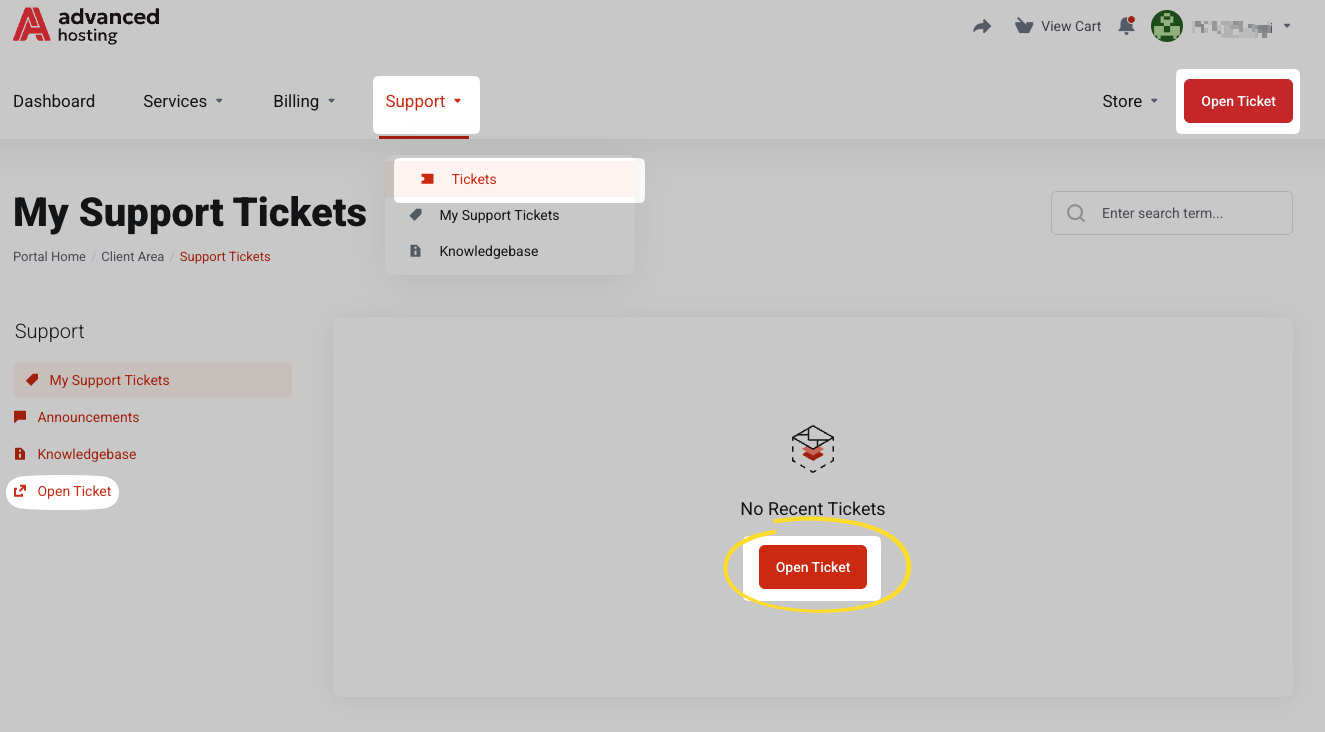
Click Open Ticket button in the top bar at portal.advancedhosting.com/submitticket.php, or use any of the multiple buttons throughout the user panel to create a ticket.
-
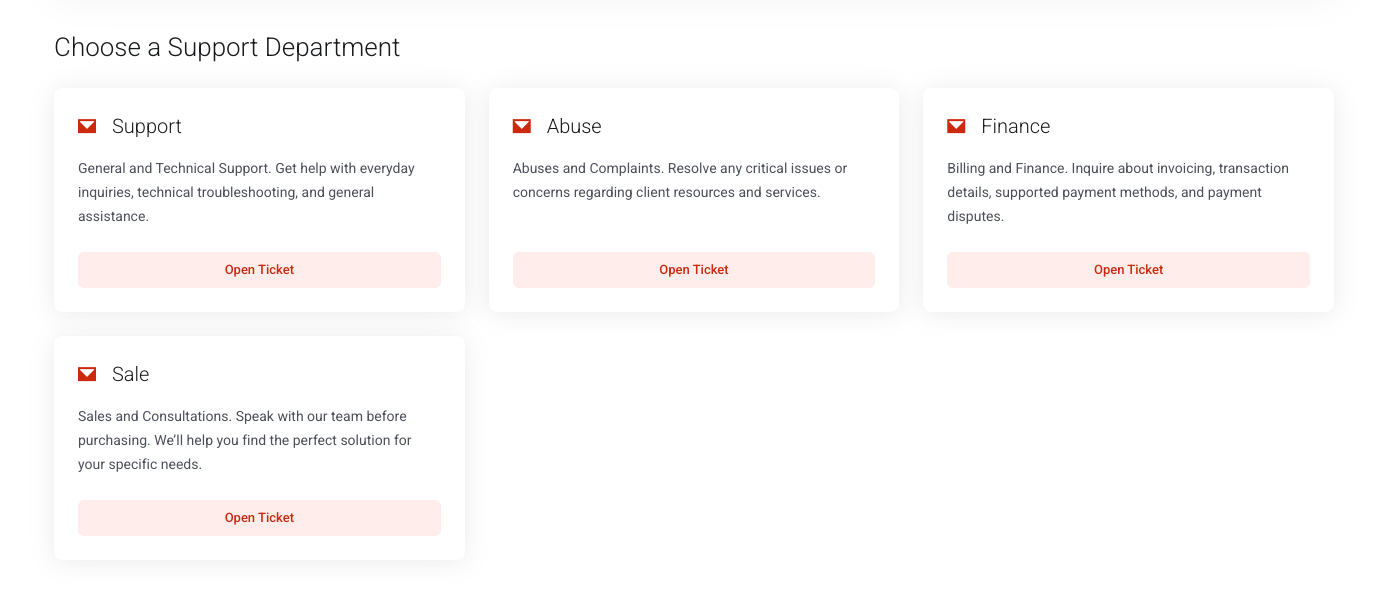
Choose the department. Support for anything about a running service, an invoice, or a payment; Abuse is strictly for reporting abuse coming from our network.
-
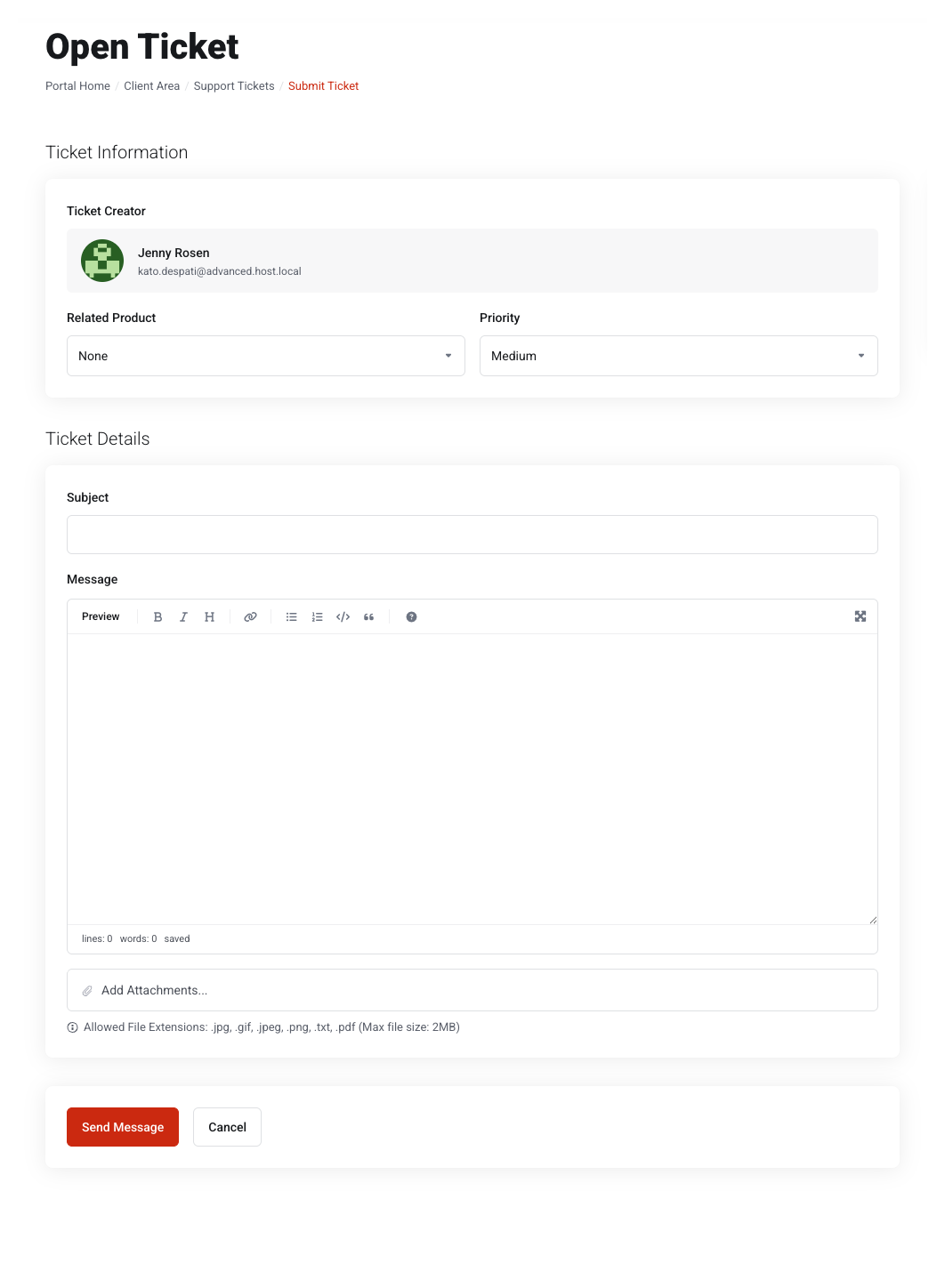
Write a subject. Give the ticket a subject that names the service and the problem.
-
Describe the problem in detail.
-
If it concerns a certain service, select the Related Product: that attaches its details so we do not have to ask which server you meant.
-
Press Send Message.
What belongs in the first message
Everything you already know about the issue, so the first reply can be an answer rather than a question:
-
what you expected and what happened instead
-
when it started, with a timezone
-
the exact error message, copied or screenshotted rather than described
-
the service name or IP address it concerns
-
what you have already tried to remedy the problem
You can also attach files with Add Attachments… —
.jpg, .gif, .jpeg, .png, .txt and .pdf, up to 2 MB each. Logs and configuration are far more useful than a description of them.When created successfully
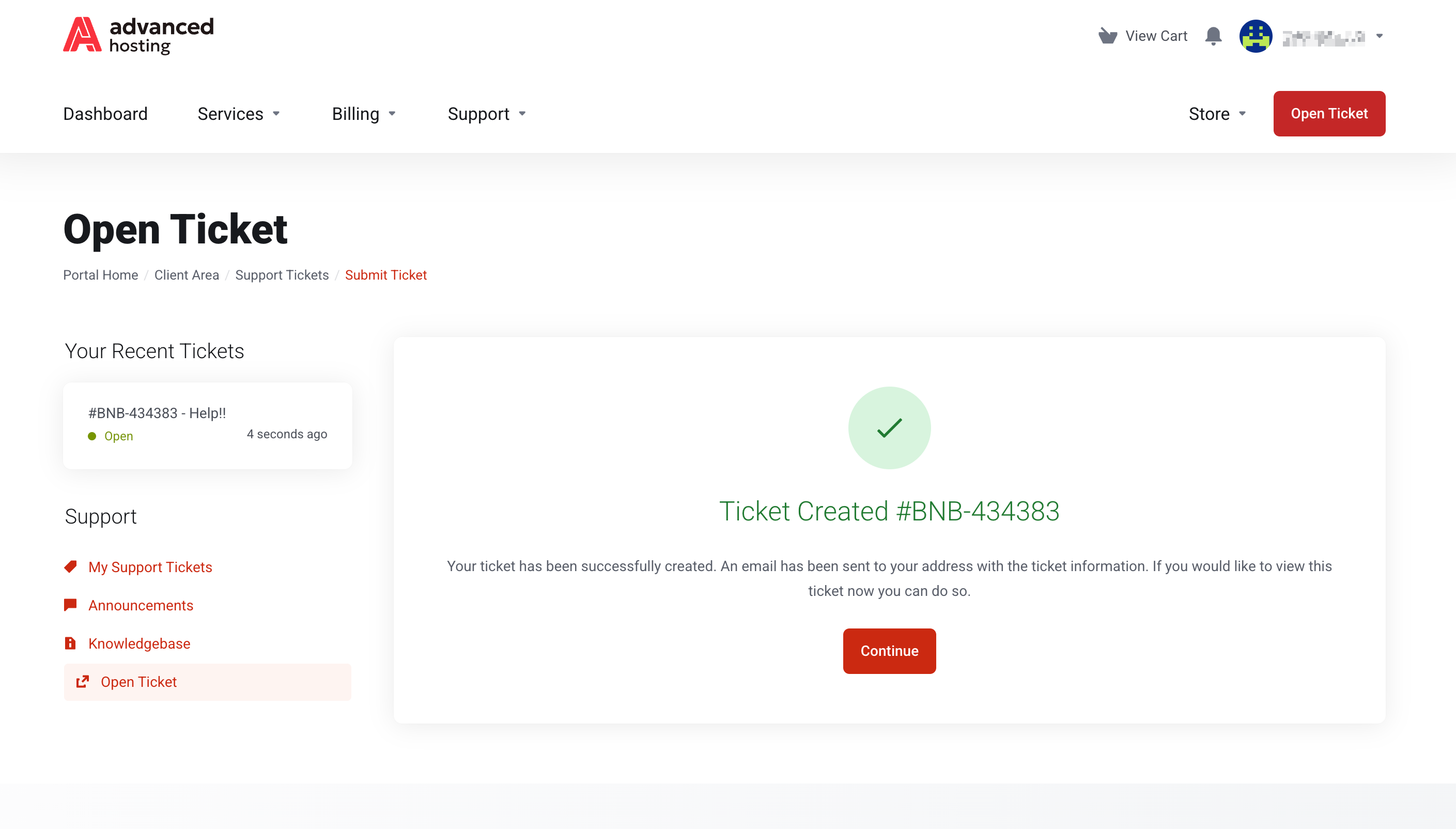
You'll get a confirmation pop-up with the ticket reference — a code such as
ABC-123456 — and an email copy. The ticket will be listed as Open, and change Answered when we reply.Add to the ticket
Open the existing initial ticket from Support → Tickets, describe new developments or add details in the reply box, and send. Every reply is added to the same thread — keep one issue in one ticket rather than opening a new ticket for each new detail.
Troubleshooting
-
I did not get the confirmation email
The ticket still exists — look under Support → Tickets. Then check your email verification banner and your spam filter; see Account details and contacts.
-
I cannot see a ticket my colleague opened
Tickets belong to the contact who opened them. To share them, that person needs their own access to the account — see Giving other people access.
-
The ticket is closed, and the problem is back
Reply to it anyway; a reply reopens it and keeps the history together.
Frequently asked questions
-
How do I contact Advanced Hosting support?
Press Open Ticket in the client area at portal.advancedhosting.com.
-
Which department should I choose?
Support for anything about a running server, service, invoice, or payment; Abuse for reporting abuse that comes from our network.
-
Can I attach log files to a ticket?
Yes. Attach them to the first message — logs and configuration files are far more useful than a description of them.