
Verification requested
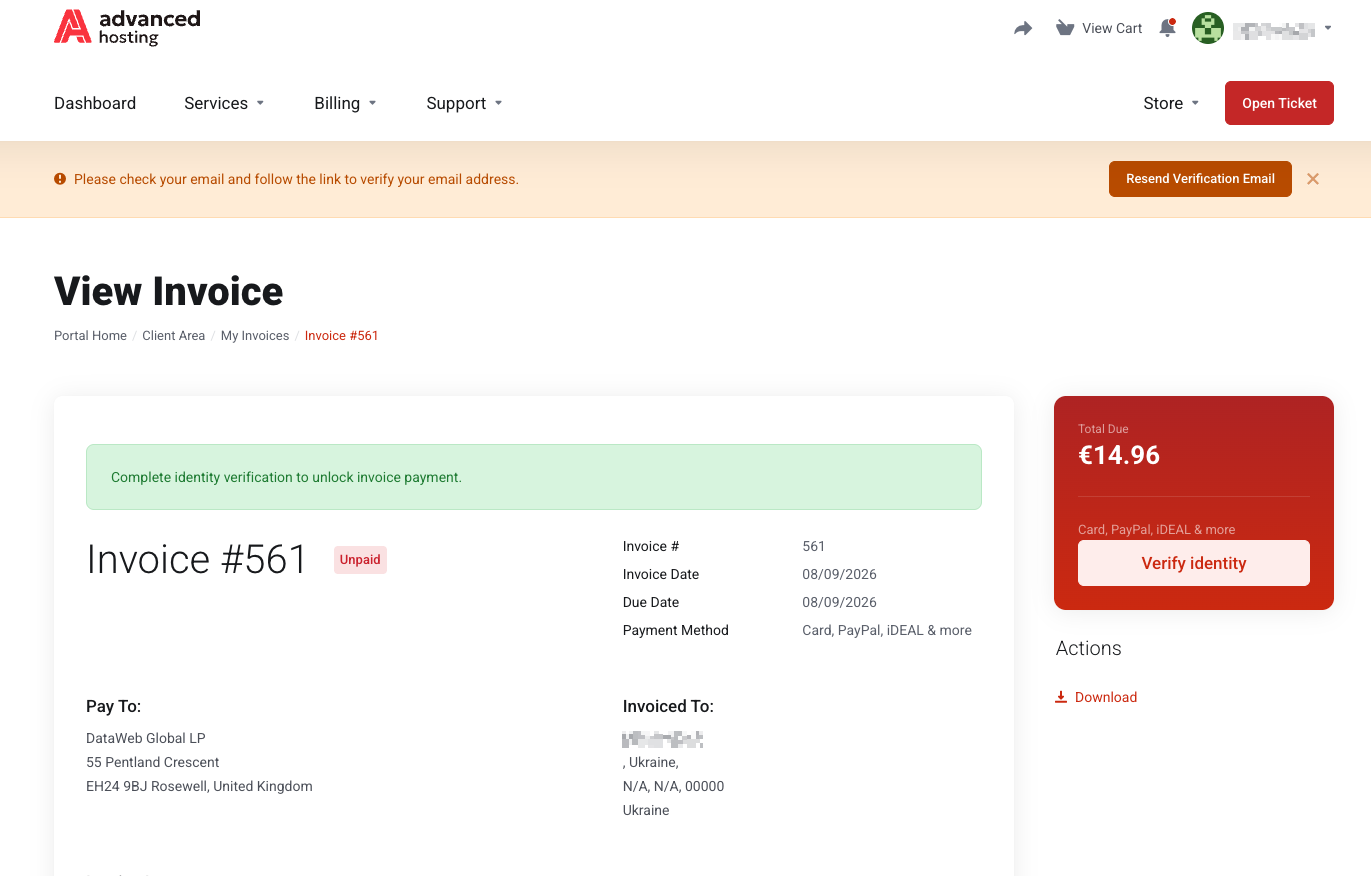
To make your first invoice payment, you'll have to confirm your identity.

Why this happens
We are required to know who our customers are before taking money from them. The rules behind it are in the Know Your Customer Procedure, published with our other documents — see Agreements and policies.
The check itself is run by our payment provider's identity service. We ask it to confirm that the document is genuine and that the person holding it is you; it confirms this and provides the name and address printed on the document. We never see the photographs.
Before you start
-
You'll need a passport or an ID card. A driver's licence or a photocopy is not enough.
-
A device with a camera — a phone is easiest.
-
A phone number on your profile. The check cannot start without one; if yours is missing, we say so and link you to your account details.
How it works
-
Open the invoice and press Verify identity. While the check is outstanding, the pay button is replaced, and the payment method cannot be changed, so there is nothing else to try from this page.
-
Show the document and take a selfie. You are handed to the identity service, which asks you to photograph the document there and then — an old file will not do — and then to take a selfie that matches the photo in the document.
-
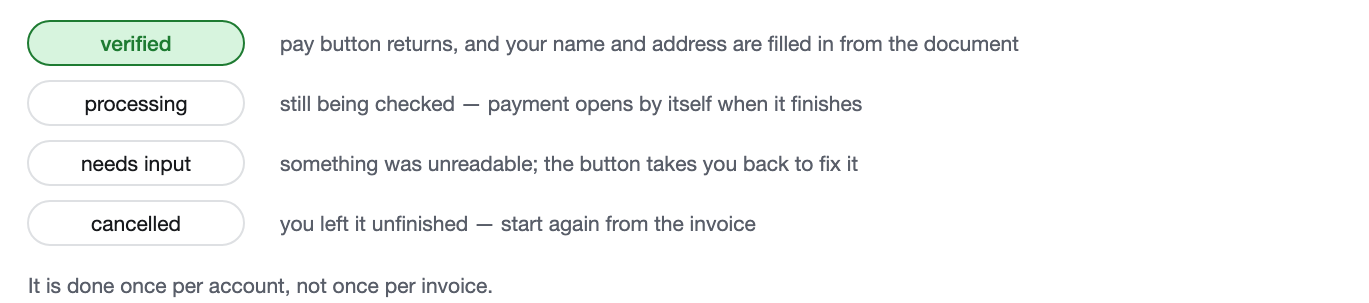
Read the answer. Verified means the pay button comes back and your name and address are filled in from the document. Processing means it is still being checked, and payment will open by itself. Needs input means something was unreadable, and the button takes you back to redo that part. Cancelled means you left it unfinished — start again from the invoice.
What it does to your details
When the check passes, the name and address from your document are written into your account: first and last name, address, city, state, postcode, country, and the phone number if the document carried one. That is deliberate — the whole point is that your billing details match your identity.
So expect your account details to update slightly if what you had typed originally differed from your document. What you can and cannot edit afterwards is explained in Account details and contacts.
Troubleshooting
-
It says my phone number is missing
Add one under Account Details and start again.
-
The photo keeps being rejected
Most retries are a blurred or cropped photo. Use good light, get all four corners of the document in frame, and avoid glare from a plastic surface.
-
It has been processing for a long time
Give it a few minutes; the invoice opens on its own when the answer arrives. If it is still processing much later, open a ticket quoting the invoice number — see Support tickets.
-
I do not want to hand over a document
Then we cannot take payment for that invoice. Reach out to us through a ticket before the due date to avoid any service interruptions.
Frequently asked questions
-
Why does my invoice ask me to verify my identity?
Because the account has not yet been verified, we are required to know who our customers are before taking payment. It is asked once per account, not per invoice.
-
What documents are accepted?
A passport or an ID card must be photographed live during the check, along with a selfie that is matched against it.
-
Do you see my passport photo?
No. The check is run by our payment provider's identity service. We receive the result, along with the name and address printed on the document, not the images.
-
How long does verification take?
Usually minutes. The invoice unlocks by itself once the answer arrives.
-
Will my account details change afterwards?
Yes, if they differed from your document. The name and address from the document are written into your account so that your billing details match your identity.