
Before you start
You'll need the email address you registered with and your password. If your company uses an SSO (single sign-on), you won't need a password — use the Sign in with IDS or the Sign in with Google button depending on the account you're registered with. Navigate to portal.advancedhosting.com/index.php?rp=/login
How to sign in
Open https://portal.advancedhosting.com/index.php?rp=/login
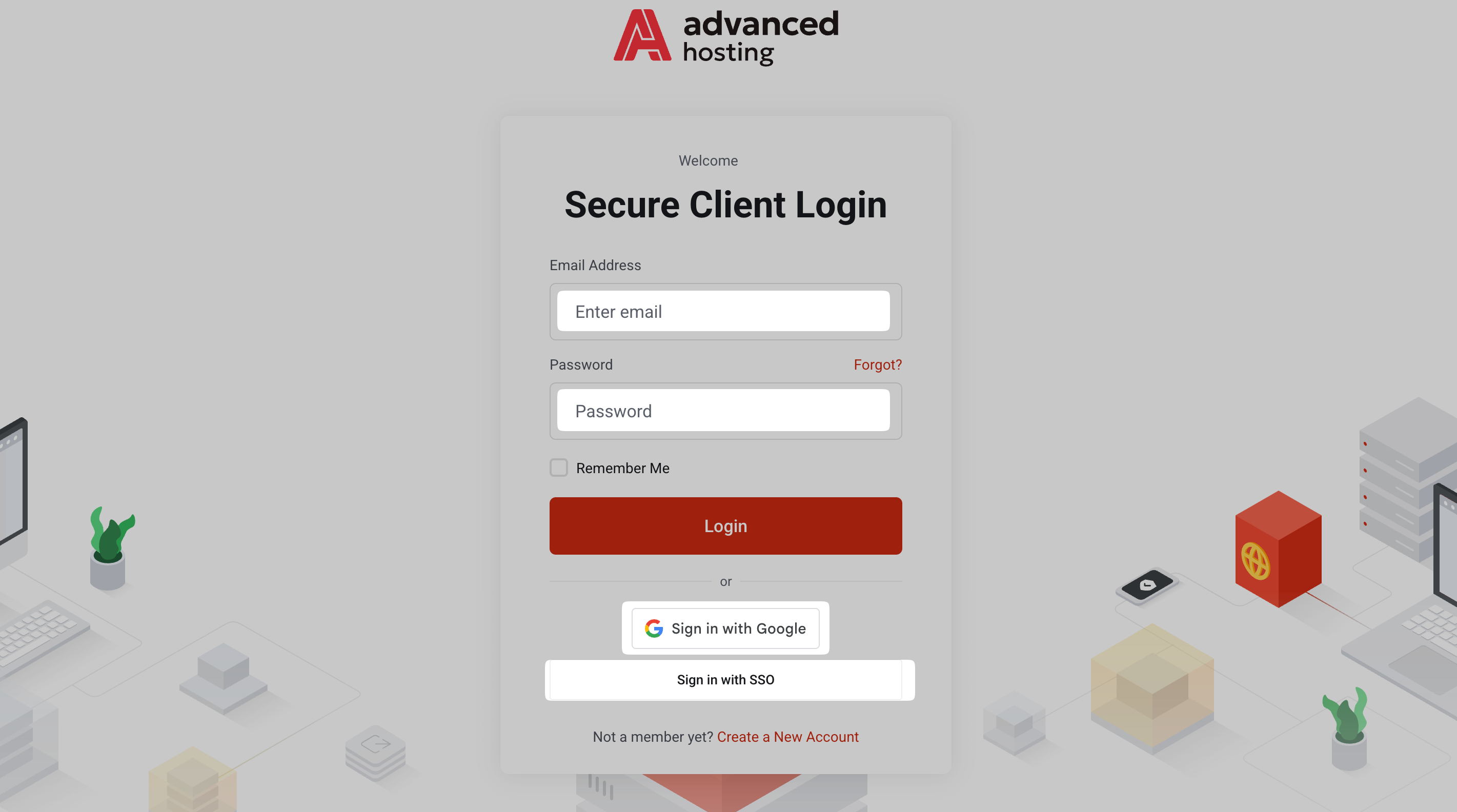
- Enter your credentials. type your email address and password, and press Login.
-
Choose an account, if you are asked. One login can be attached to several customer accounts — your own and, for instance, a client's or a colleague's account. When that is the case, we show Choose Account instead of the dashboard. Pick the account you need to sign in with right now on the Choose Account screen that follows. This step will be fully omitted if you have a single account.

-
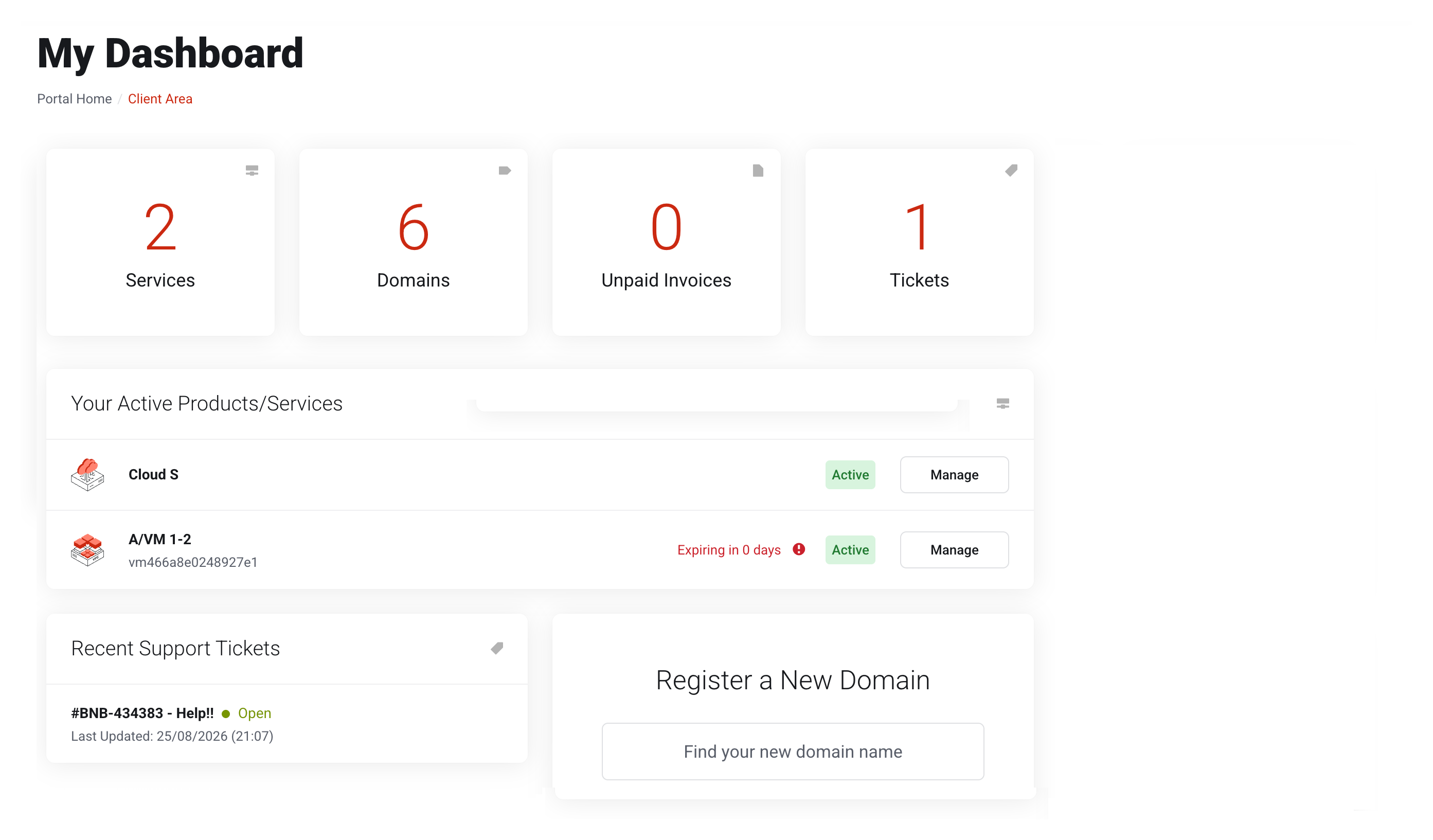
You land on My Dashboard, which lists your services and products, unpaid invoices, and recent tickets.
Ⓘ Ticking the Remember Me checkbox during the logging in keeps you signed in on this browser.Never do this on a public or shared device.
Am I in?
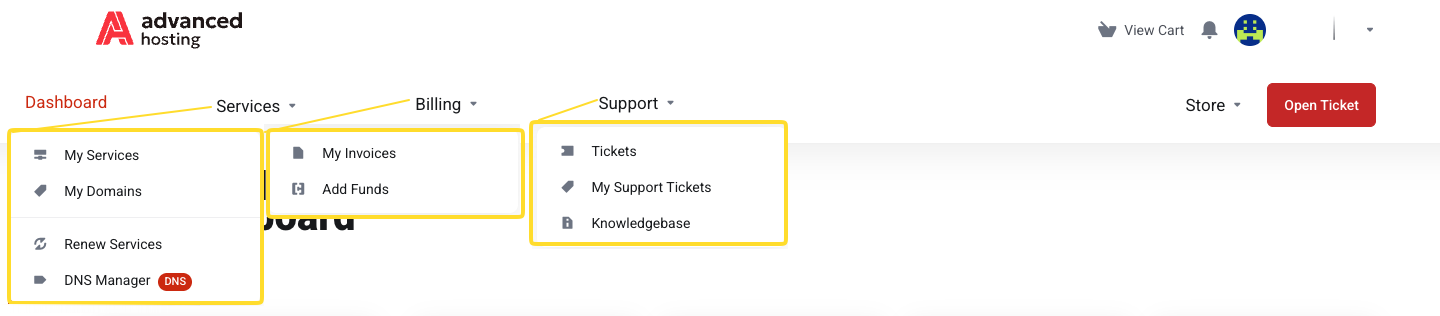
Upon a successful sign-in, you land on your Dashboard, shown above. The top-right menu shows, as depicted below, the notification area, your cart, your profile picture, and username. The dropdown Account management menu unfolds when you click the downwards arrow next to your name.
The main navigation at the top left of the page shows Dashboard, Services, Billing, Support, Store, and a prominent quick button to create a ticket.
How to sign out
Open the menu under your name in the top right corner and click Logout.
Ⓘ On a shared or public device always sign out — closing the tab alone leaves the session alive.
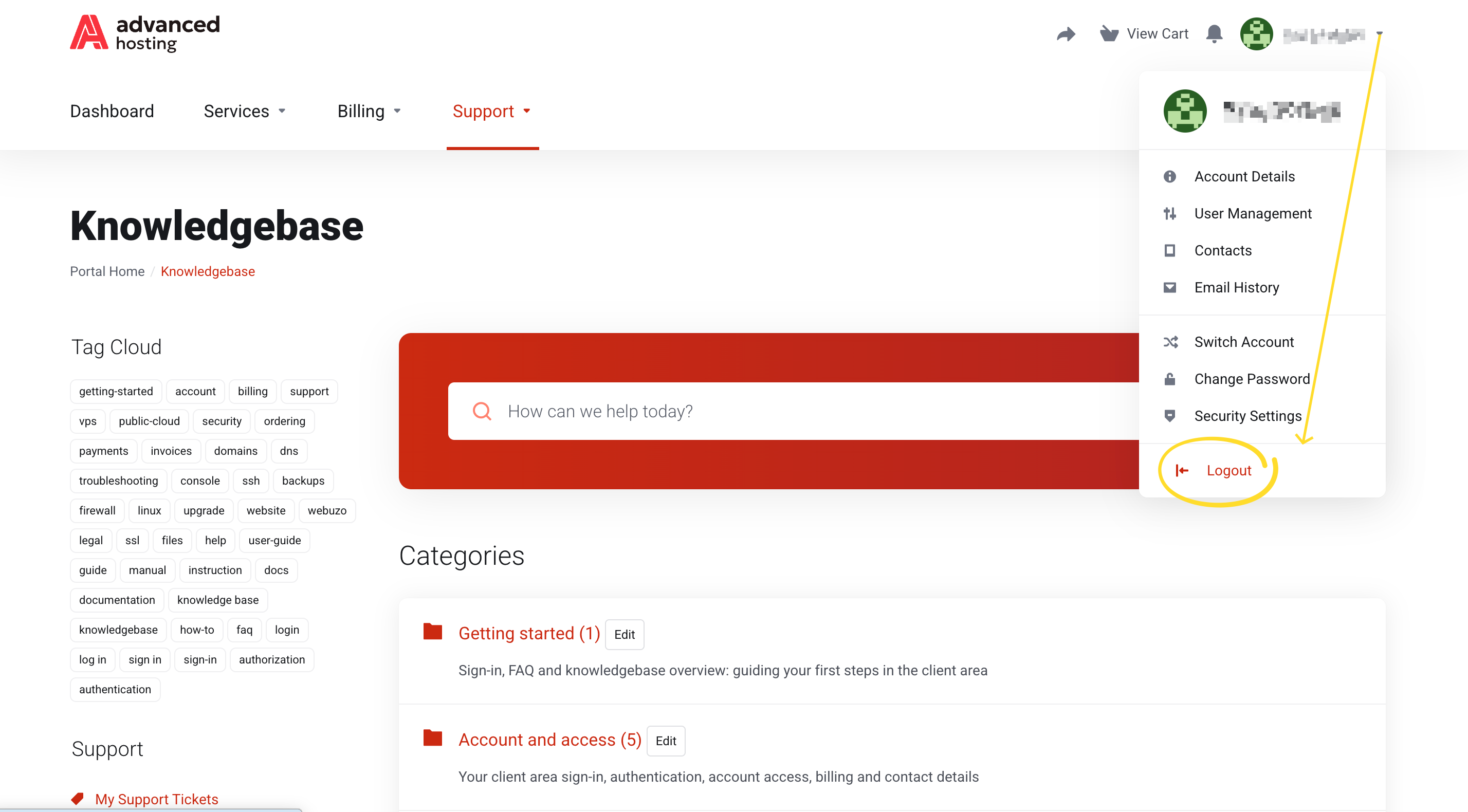
After signing out, opening the client area requires putting in your password again.
Troubleshooting
-
Why does "Choose Account" keep coming back?
You selected an account you lack permission for. Pick the row marked Owner, or ask whoever invited you to grant needed permissions — see Giving other people access.
-
I forgot my password
Click Forgot? next to the password field, at portal.advancedhosting.com/index.php?rp=/password/reset. We'll email you a single-use reset link; make sure to use it before it expires.
-
A banner asks me to verify my email address
Your account is up and running, but some notifications are held back until you click the link we emailed. Press Resend Verification Email if it never arrived, and check the spam folder.
-
The login page reloads with no error
That normally means the password field was never filled — a password manager can silently fail to complete it. Type the password in manually once.
-
The site says "Down for Maintenance"
That is us, not you. We're rolling out some improvements. It'll clear in a jiffy.
Frequently asked questions
-
What is the login URL for Advanced Hosting?
-
Can two people use the same login?
They should not. Invite each person as a user with their own login and permissions — see Giving other people access.
-
Why am I asked to choose an account?
Because your login has access to more than one customer account. Choose the one you want to work under; you can change it later from Switch Account in the menu under your name.