
Why it matters
Your account details appear on every invoice, so they have to match what your accounting department expects. Contacts decide who is told about invoices, tickets and service notices — which is what stops a renewal notice from going only to someone who has left the company.
How to update your billing details
Open Account Details at portal.advancedhosting.com/clientarea.php?action=details.
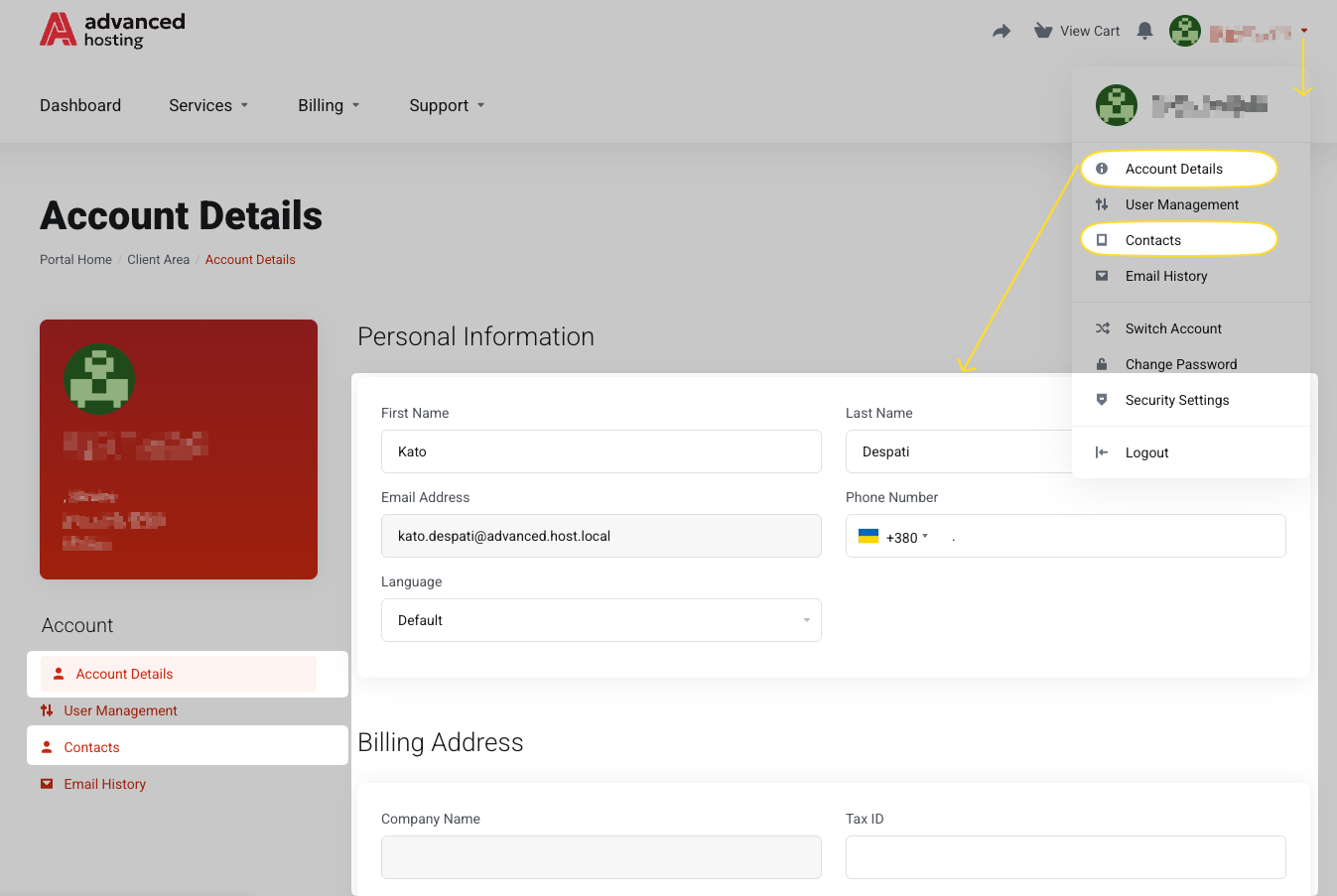
Correct the name, email address, postal address, phone, and tax ID, then press Save Changes. Changing your email address here changes where mail is delivered, not the address you sign in with.
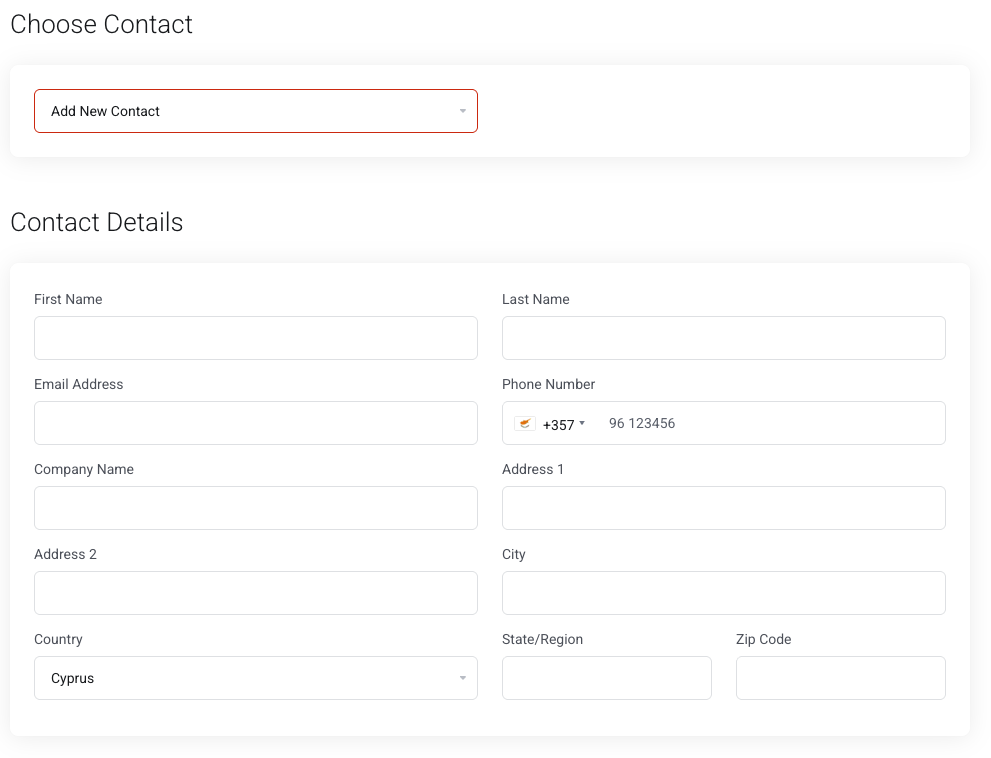
Open Contacts at portal.advancedhosting.com/index.php?rp=/account/contacts, pick one from Choose Contact or add a new one, and tick the Email Preferences it should receive.
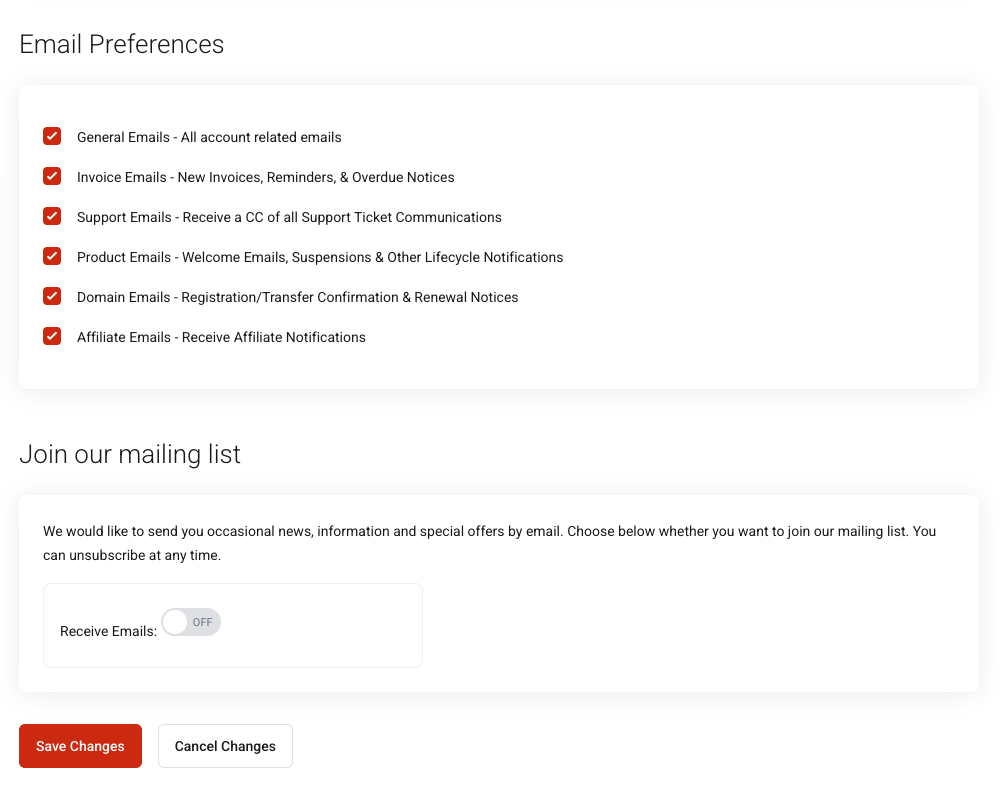
- General — announcements and account notices
- Invoices — new invoices, receipts, overdue reminders
- Support — ticket correspondence
- Product — service notices, suspensions, provisioning messages
Press Save Changes.
ⓘ Please note: Contacts are not logins. A contact receives emails. It cannot sign in, see your services, or pay an invoice. If the person needs to do any of that, invite them as a user instead — see Giving other people access. Changing your email address in Account Details changes where mail is delivered, not the address you sign in with.
What you should see

A confirmation message and the contact in the Choose Contact list. Invoices generated from that moment on carry the new details.
What you can and can't change here
You can change:
your name, email address, postal address, phone number, company name and tax ID, and you can add, edit, and remove contacts and their email preferences. Nothing in this section needs our approval.
You cannot change:
the email address you sign in with from this page — that lives under your profile, see Your password and security settings — nor anything that has already been printed. An invoice records what was true when it was issued and is deliberately never rewritten.
the email address you sign in with from this page — that lives under your profile, see Your password and security settings — nor anything that has already been printed. An invoice records what was true when it was issued and is deliberately never rewritten.
Once your account goes through identity verification, the name and address from your document are written into the account, because the point of the check is that the two match. Editing them back afterwards defeats it.
Stuff we'll help you with:
merging two accounts, changing the legal entity a service is billed to, correcting an invoice already issued, or removing data for privacy reasons — all of that is possible, none of it is self-service. Open a ticket and say what should change and why; the billing department handles it.
Troubleshooting
-
An invoice still shows my old address
Invoices record what was true when they were issued and are deliberately not rewritten. Open a ticket if you need one reissued.
-
A contact is not receiving our email
Check the Email Preferences on that contact, then the recipient's spam filter. Email History in the menu under your name lists everything we actually sent and to which address — check there before assuming it was never sent.
-
I cannot edit anything
You are signed in on an account where you hold only partial permissions. Check the account selector — see Signing in and signing out.
Frequently asked questions
-
How do I add a VAT or tax number to my invoices?
Enter it in the tax ID field on Account Details and save it. It appears on invoices issued afterwards.
-
Can invoices go to my accountant and nothing else?
Yes. Add the accountant as a contact and tick only Invoices in their email preferences.
-
Which of my details can I change myself?
Your name, email address, postal address, phone number, company name and tax ID, and all of your contacts. Invoices already issued are never rewritten, and details set by identity verification should be left as the document has them.
-
Who do I ask for a change I cannot make myself?
Support. Merging accounts, changing the legal entity behind a service, correcting an issued invoice, or a privacy erasure all go through a ticket.