
When to do this
Whenever another person needs to do something — see services, pay invoices, open tickets, or restart a server. An invited user has their own login, their own password and their own two-factor setup, and you can withdraw their access at any time without disturbing yours.
Ⓘ If the person only needs to receive email notifications, add a contact instead — see Account details and contacts.
How to invite a user
Open User Management at portal.advancedhosting.com/index.php?rp=/account/users. The list shows everyone with access and anyone whose invitation is still outstanding.
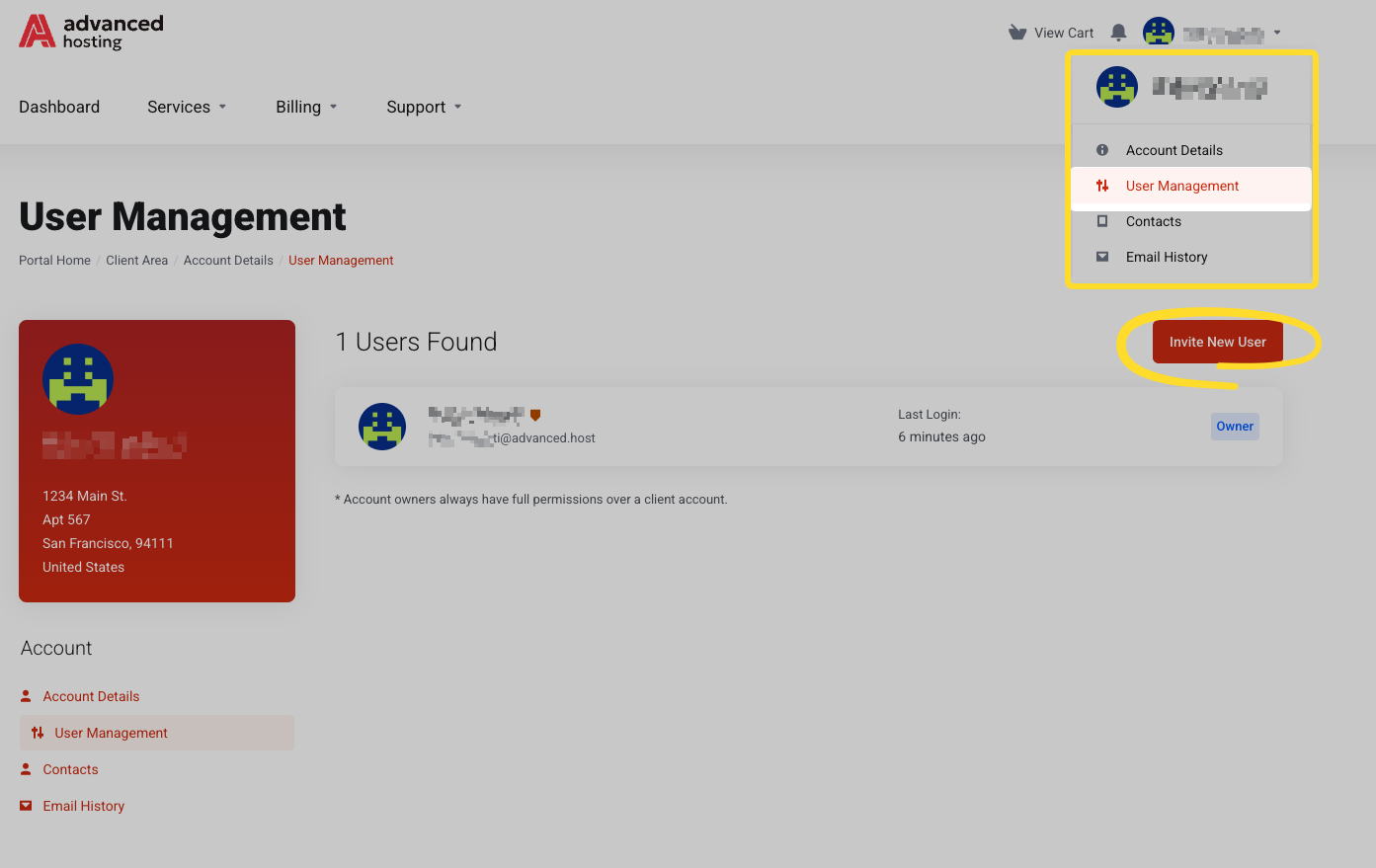
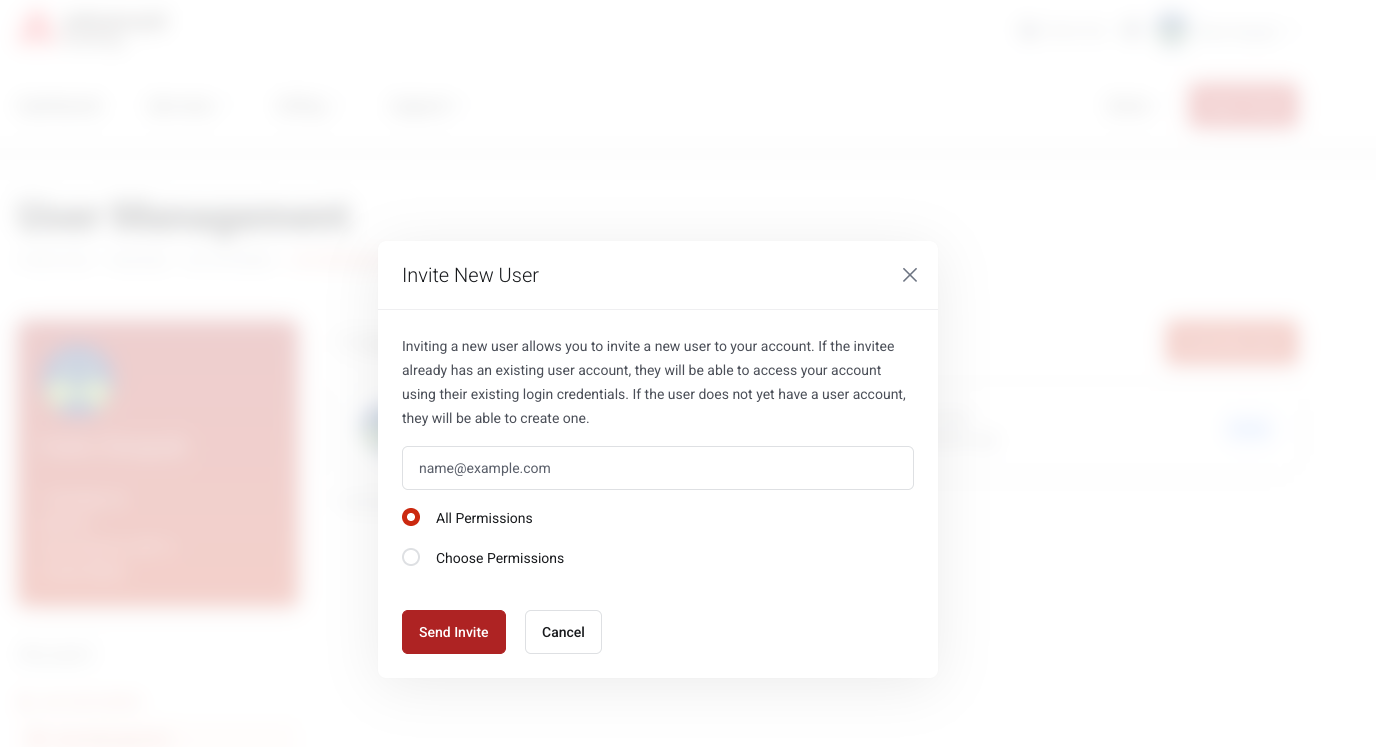
Send the invitation. Press Invite New User, enter their email address, and choose either All permissions or Choose permissions and tick only what they need — for example invoices but not service management. They get their own login and only the permissions you grant. Never share your own password.
They receive an email with a link, accept it, and either sign in with an existing login or create one. Your account then appears on their Choose Account screen — see Signing in and signing out.
If all went well
Your colleague appears in the users list, first as Invited and then as Active once they accept.
How to revoke access
Press Remove Access on the corresponding row. They keep their own login but immediately lose access to your account. An invitation that hasn't been accepted is withdrawn with Cancel Invite.
Troubleshooting
-
The invitation never arrived
Check the address for typos, then have them look in spam. Cancel and re-invite if needed.
-
They sign in but see nothing
They are looking at their own empty account. They need to Switch Account and pick yours instead.
-
They cannot open a ticket or pay an invoice
That permission was not granted. Edit their permissions from the same page.
Frequently asked questions
-
Is it safe to share my hosting login with a colleague?
No — it’s also unnecessary. Invite them as a user so they have their own credentials, their own two-factor setup, and permissions you control.
-
What happens to their access when they leave the company?
Press Remove Access on their row. It takes effect immediately, and nothing else about your account changes.