
What's on the menu
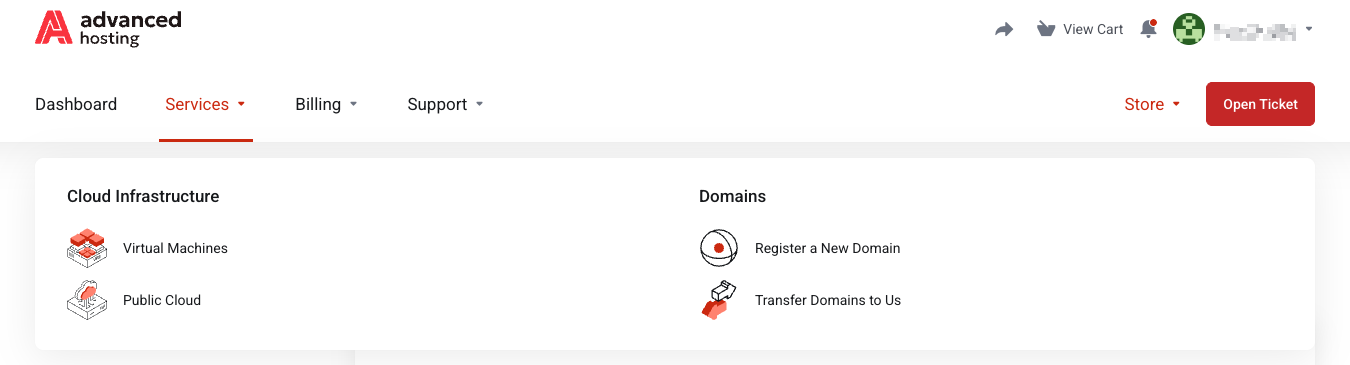
Open Store from the top menu bar of the client area — it lists Virtual Machines and Public Cloud. Pick Virtual Machines for a single server or Public Cloud for an OpenStack project, compare the options by vCPU, RAM and NVMe storage, and press Order Now.
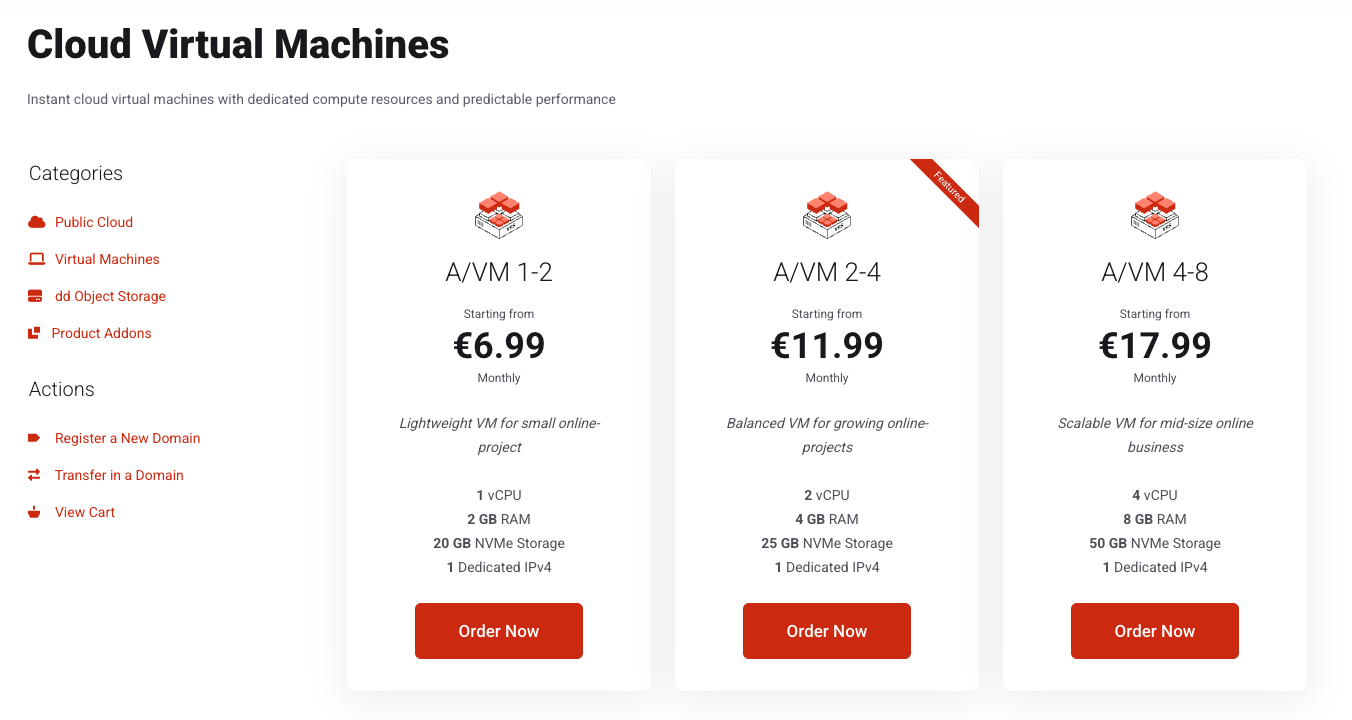
Virtual Machines — a single virtual machine of a fixed size, which you manage yourself. Right when you need one server and want a price you can predict.
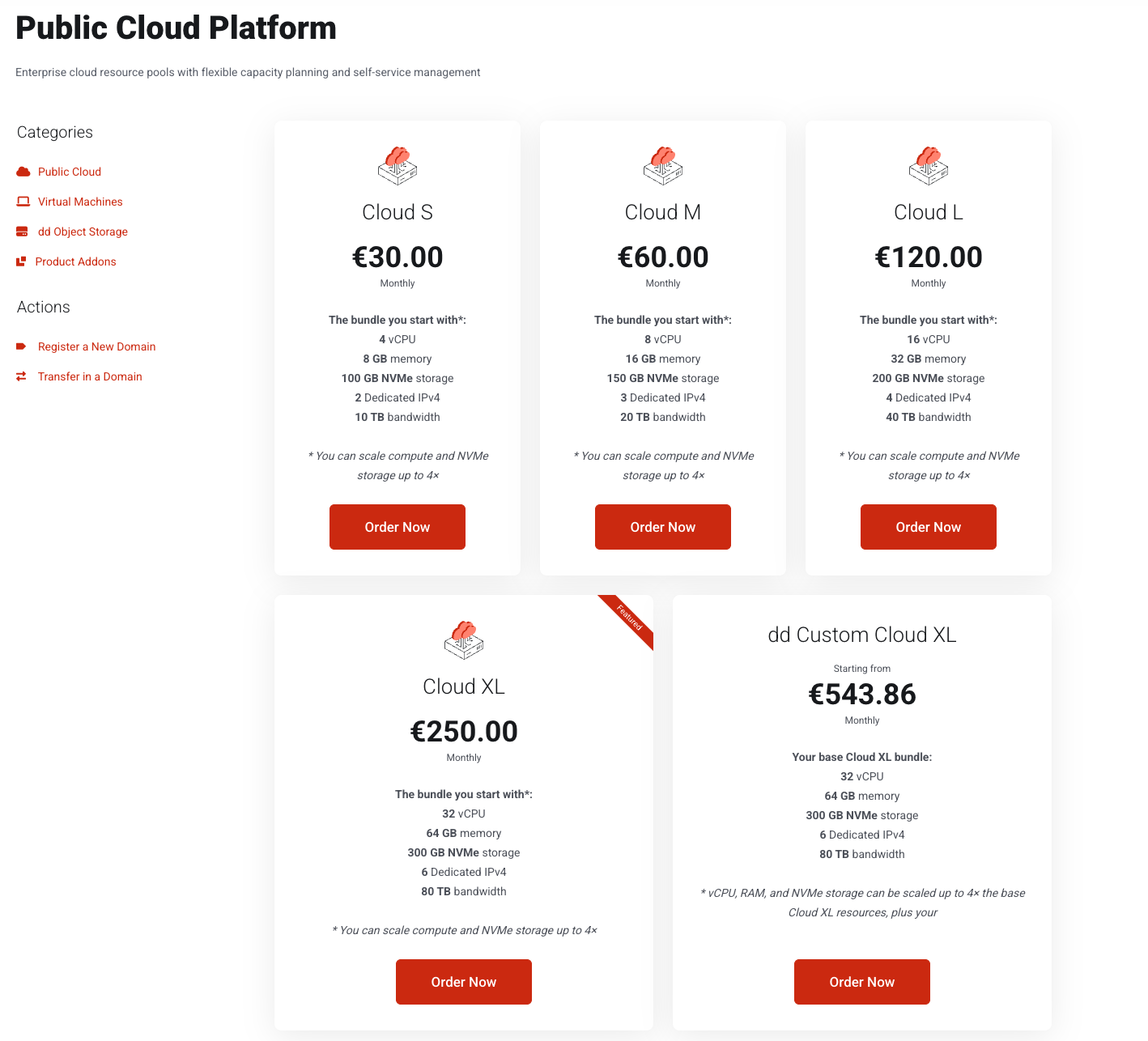
Public Cloud — a cloud project with a quota, in which you create machines, volumes, and networks yourself, on a subscription whose usage is metered hourly on top of it. Right when one machine is not enough. See Public Cloud.
Product Addons — extras attached to a service you already own. None will appear until you order a compatible service.
Plan names, prices and their contents change as the catalogue is updated, so treat any name in this guide — A/VM 1-2, Cloud S and so on, along with the prices presented — as an example rather than a fixed list. The store page is always the current truth.
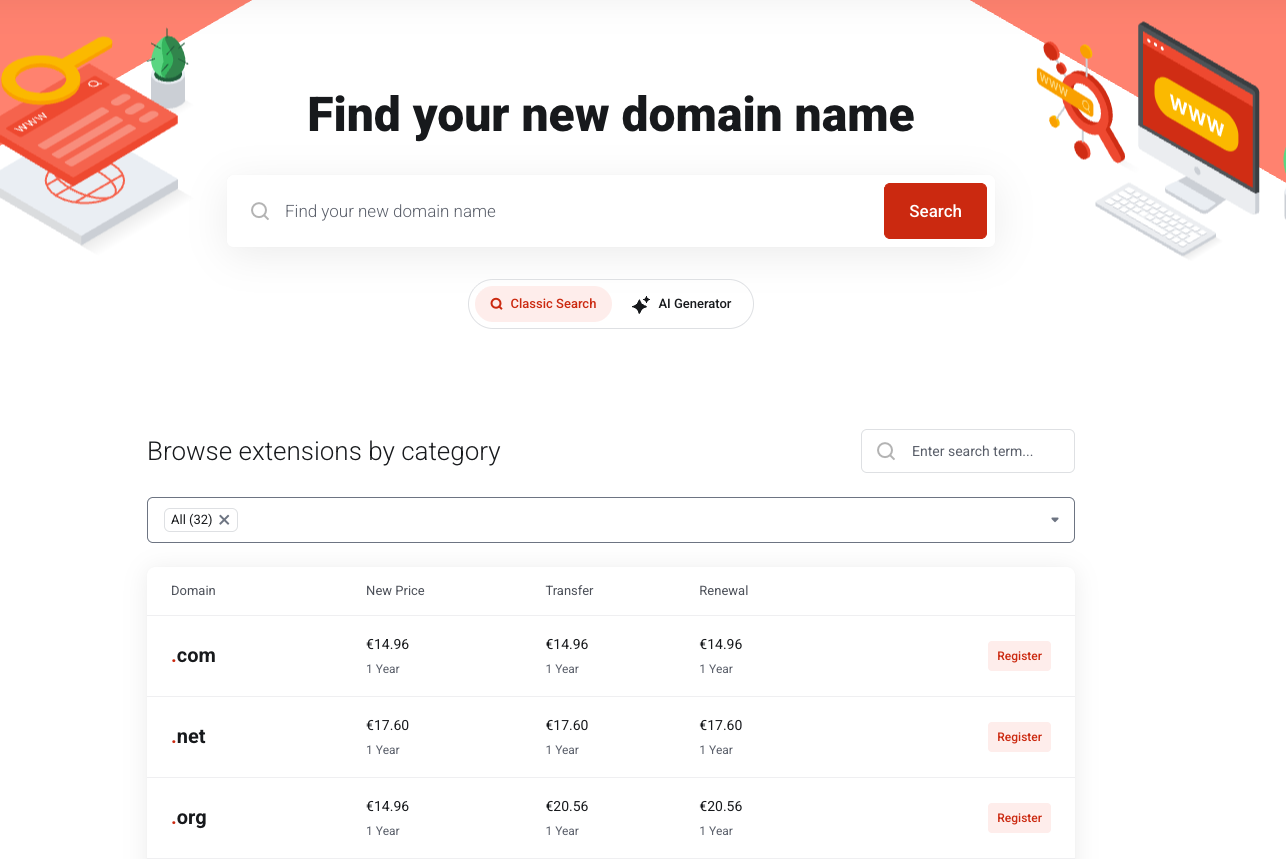
Domains are ordered separately — see Domains.
How to compare the plans
-
Pick a group from the Store in the main menu or from the Categories sidebar.
-
Read the cards. Each shows the monthly price and what you get: vCPU, RAM, NVMe storage, and how many dedicated IPv4 addresses are included. Included With Every Plan below the cards lists what all of them share, so you only compare the differences. Press Order Now on the plan you want.
How to size a plan
-
Size on RAM and vCPU first — those are what a workload actually runs out of.
-
Storage is the hardest dimension to change later; the others move up easily, see Upgrading and renewing.
-
A longer billing cycle costs less per month. The discount is shown on the configuration page in the next step.
-
A greyed-out Order Now means the plan is temporarily out of stock. Where a notify option is offered, we email you when it returns.
What happens next
Order Now button takes you to the configuration page, where you choose the billing cycle, the operating system and the options. Nothing is ordered and nothing is charged until you complete checkout — see Ordering a service.
Frequently asked questions
-
What is the difference between Virtual Machines and Public Cloud?
A Virtual Machines plan is one server with a fixed size. A Public Cloud plan is an OpenStack project in which you create several machines, networks, and volumes yourself.
-
Which operating systems can I install?
Ubuntu 22, 24 and 26, Debian 12 and 13, and CentOS Stream 9 and 10. You choose one when ordering and can change it later — see Reinstalling the operating system.
-
Is an IPv4 address included?
Yes, every Virtual Machines plan includes one dedicated IPv4 address, and more can be added as a configurable option.