
Before you start
Nothing. Dive in. You are not committed to anything until checkout, and the cart can be emptied at any time.
How to configure the order
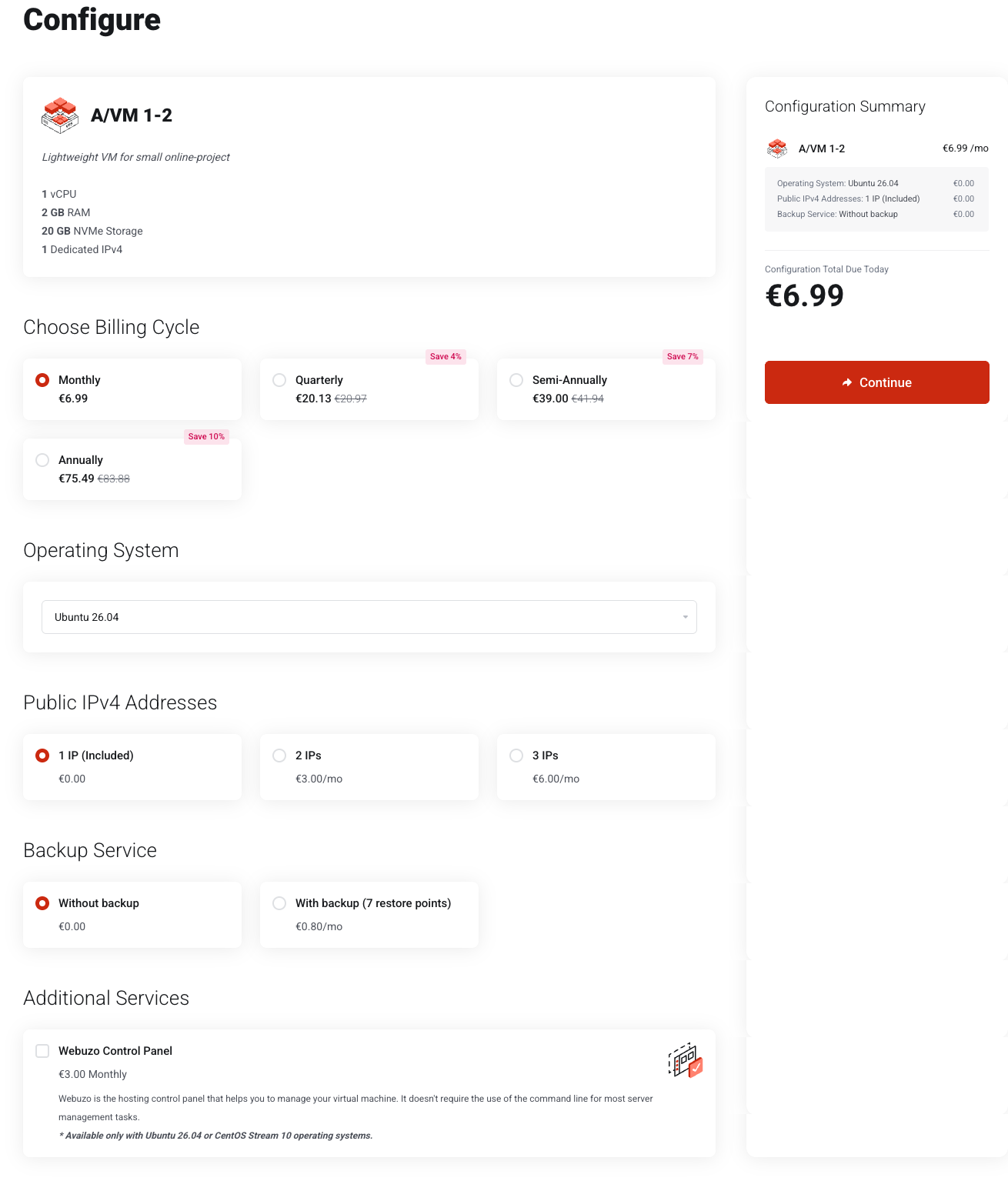
Navigate to our Store, find what suits you suits you, and upon clicking Order Now choose the billing cycle, the OS and any extra options, then click Continue to move the selection to your cart. You won't be charged until you complete checkout.
-
Choose the billing cycle. Monthly, Quarterly, semi-annually, or Annually. Longer cycles are discounted, and the saving is printed on each card. The summary updates as you choose.
-
Choose the operating system and service-specific options. For a VM that is the image (Ubuntu, Debian, or CentOS Stream), pick how many public IPv4 addresses you need and whether to add the backup service. Anything that costs extra shows its price and is added to the summary immediately.
-
Press Continue. Check the Configuration Summary first: it lists every option you chose with its price, and its Total Due Today differs from the recurring total whenever there is a setup fee or a part-period charge.
The options a plan offers — images, address counts, backup service — are set per product and change as the catalogue is updated. What the configuration page shows at the time is authoritative.
What you should see
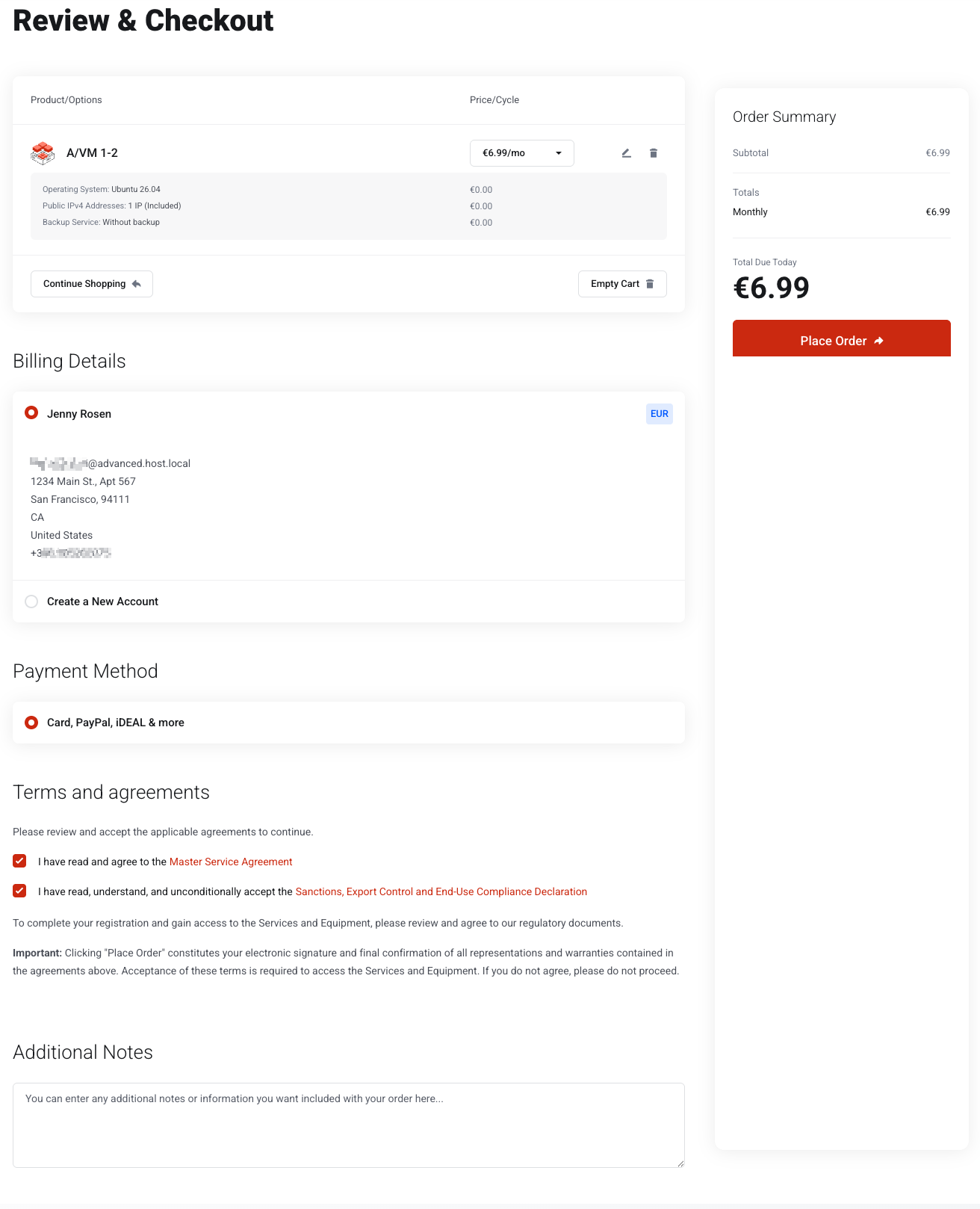
The cart counter in the header goes from View Cart 0 to View Cart 1, and you land on Review & Checkout at portal.advancedhosting.com/cart.php?a=checkout, as shown above. From there, see Checkout and payment.
Troubleshooting
-
The Continue button does nothing
A required option has not been chosen. Scroll up: the field at fault is marked.
-
The price is not what the store page showed
The store page prints the monthly price. Longer billing cycles show the total for the whole cycle, not per month.
-
There is something unexpected in my cart
A previous, abandoned order. Press Empty Cart on the checkout page and start again.
Frequently asked questions
-
Is a longer billing cycle cheaper?
Yes. Quarterly, semi-annual and annual cycles are discounted against the monthly price, and the saving is shown on each cycle card.
-
Can I change the operating system after ordering?
Yes, by reinstalling the server from a clean image — see Reinstalling the operating system.
-
When am I charged?
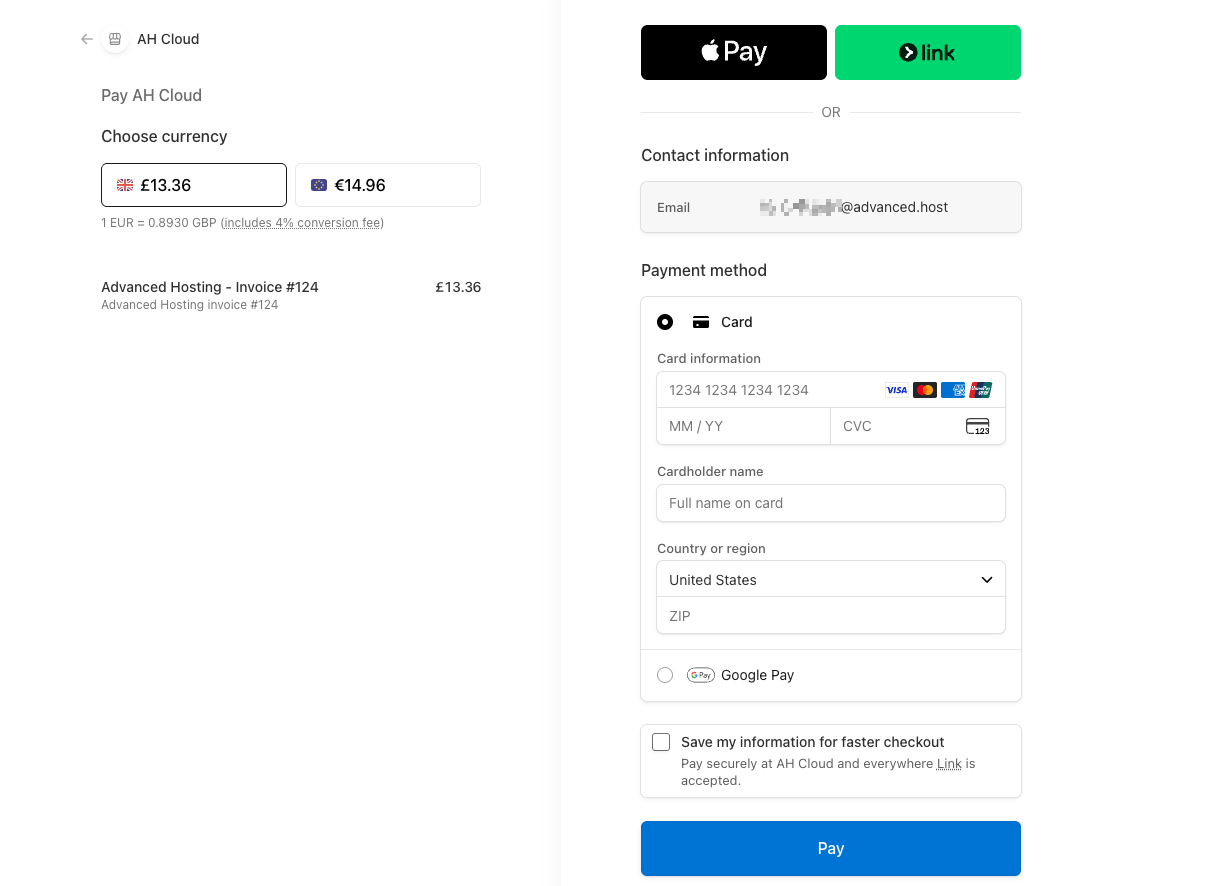
Only at checkout. Configuring a plan and adding it to the cart costs nothing.