
How to pay an invoice
Navigate to Billing → My Invoices at portal.advancedhosting.com/clientarea.php?action=invoices, page lists every invoice and its status.
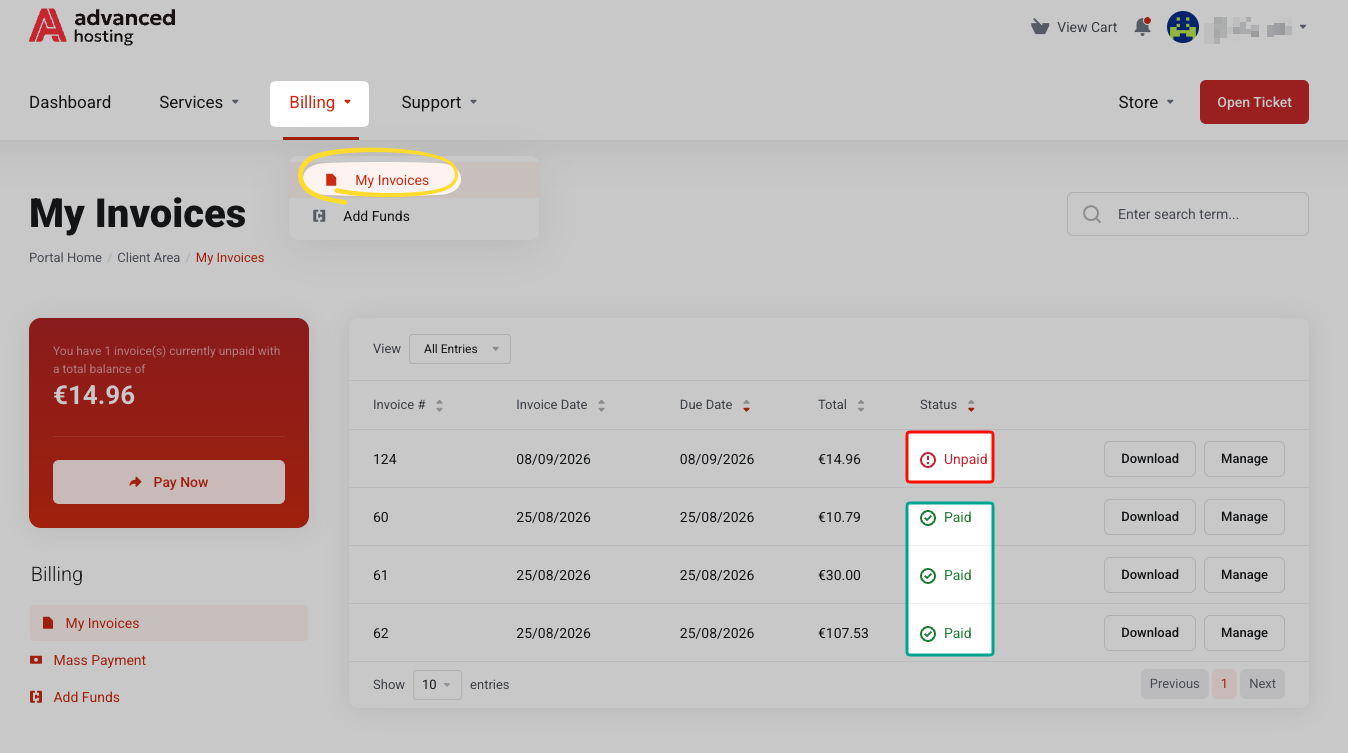
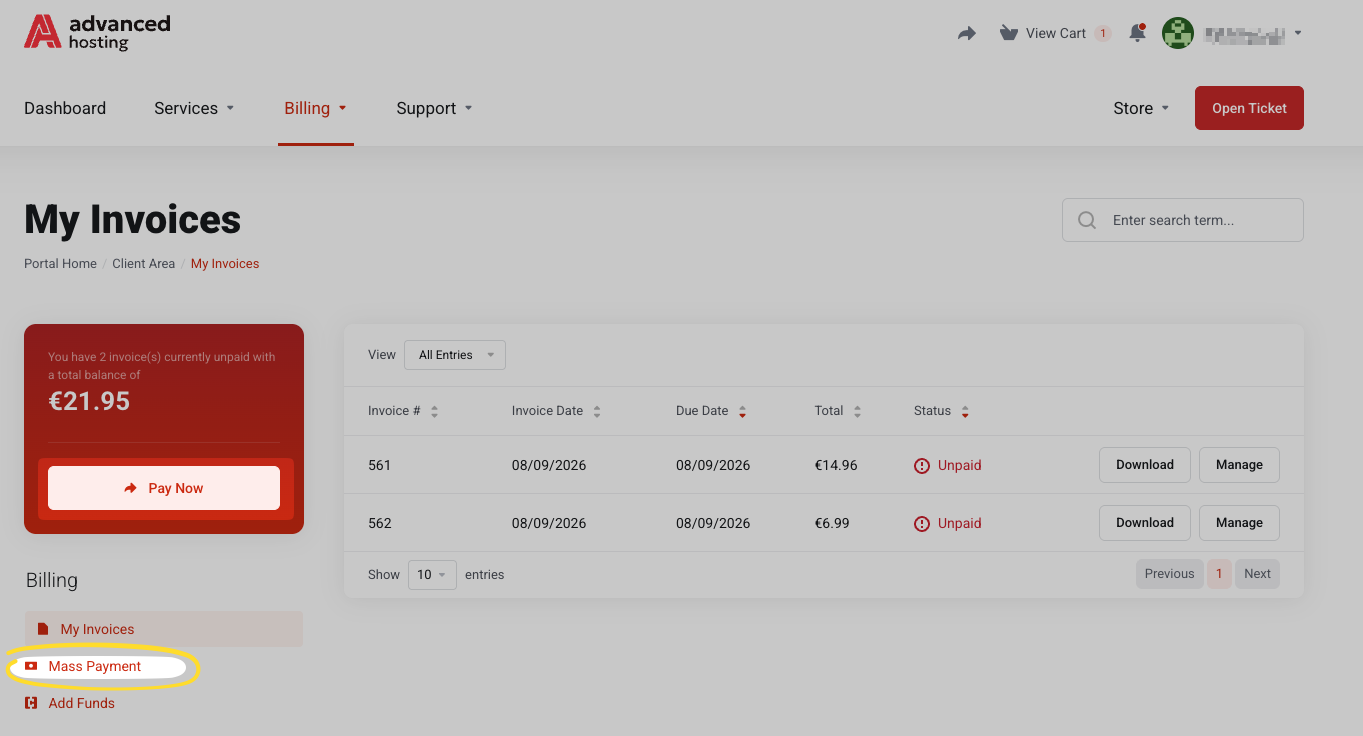
Click Pay Now, or use Billing → Mass Payment to settle everything at once.
-
Find it. Open My Invoices. The table shows the invoice number, due date, total, and status. Open one to see the line items and download the PDF.
-
Pay. Press Pay Now on the invoice, or Billing → Mass Payment to settle everything in one payment — the Pay Now button in the banner at the top of the client area does the same. Either route goes through the payment step described in Checkout and payment.
-
Add funds in advance (optional). Open Add Funds, choose an amount, and pay. The deposit is at least €10.00 and at most €5,000.00, the balance may not exceed €10,000.00, and deposits are not refundable. The money sits on your account as credit and is offered against your next invoice.
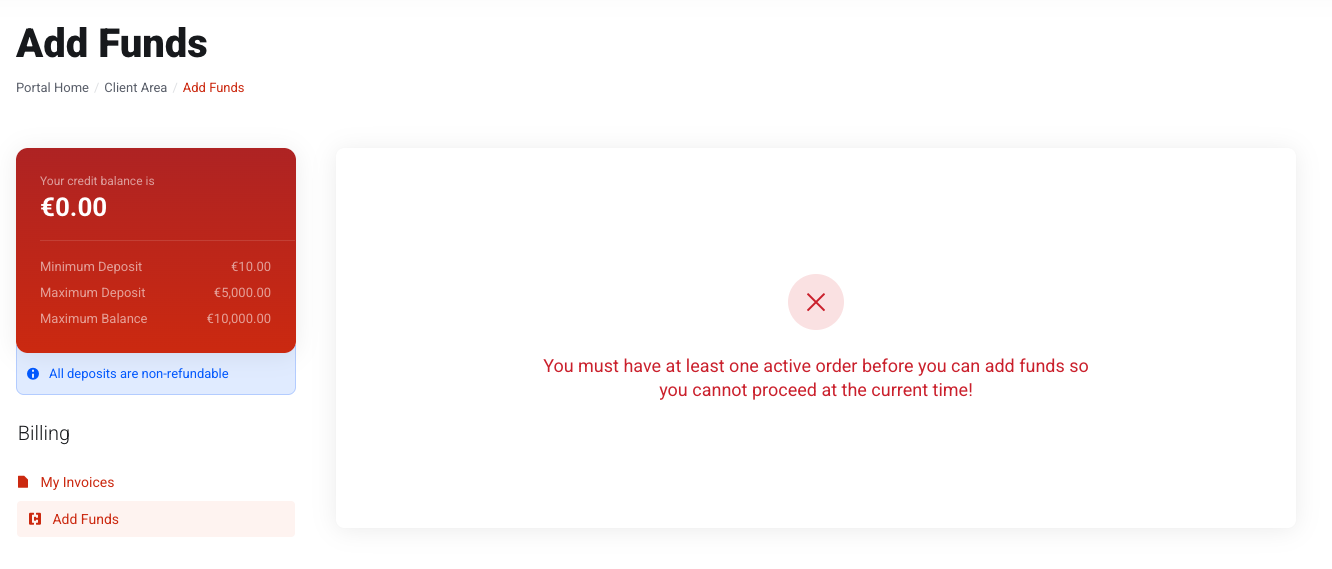
Billing → Add Funds puts money on your account in advance. You can only top up your account once at least one service has been ordered, paid for, and activated.
What invoice statuses mean
- Unpaid — issued, not yet paid, not yet past its due date.
- Overdue — past the due date. Services can be suspended while it stays unpaid.
- Paid — settled; nothing further to do.
- Cancelled — void, no longer payable.
- Refunded — paid and returned.
The banner at the top of the client area counts your unpaid and overdue invoices and links straight to paying them all.
Credit balance
Credit is money already placed in your account but not allocated to any service or product. Credit is not a discount. It is offered against every new order and is ticked by default at checkout, where you can decline it. It suits customers who prefer to prepay or to send one bank transfer instead of twelve.
Troubleshooting
-
I paid, but the invoice still says Unpaid
Bank redirect methods can confirm a minute or two later. Refresh the invoice before paying again — paying twice creates credit, not a second service.
-
I need a proper invoice for accounting
Open the invoice and use the PDF download. Correct your billing details before the next invoice is generated — see Account details and contacts.
-
My service was suspended
Settle the overdue invoice; reactivation follows automatically. If it doesn't within the hour, open a ticket.
Frequently asked questions
-
Where do I download an invoice PDF?
Open the invoice from Billing → My Invoices and use the PDF download link on the invoice page.
-
What happens if I do not pay on time?
The invoice becomes Overdue, and the service can be suspended until it is settled. Data is not deleted at that point, but a long-unpaid service is eventually terminated.
-
Can I pay several invoices in one payment?
Yes. Use Billing → Mass Payment, or the Pay Now button in the banner at the top of the client area.